
Bahaa's Story Tool
From idea to video, step by step.
Write a small idea and get a story that fits your runtime, characters that stay consistent, and a full storyboard: an image prompt for the first frame of every scene, and a video prompt that animates it. When you generate the scene image, upload it and get a video prompt written from that exact image.
- Free for everyone
- Stories in Egyptian Arabic, Modern Standard Arabic or English
- Your projects stay on your device
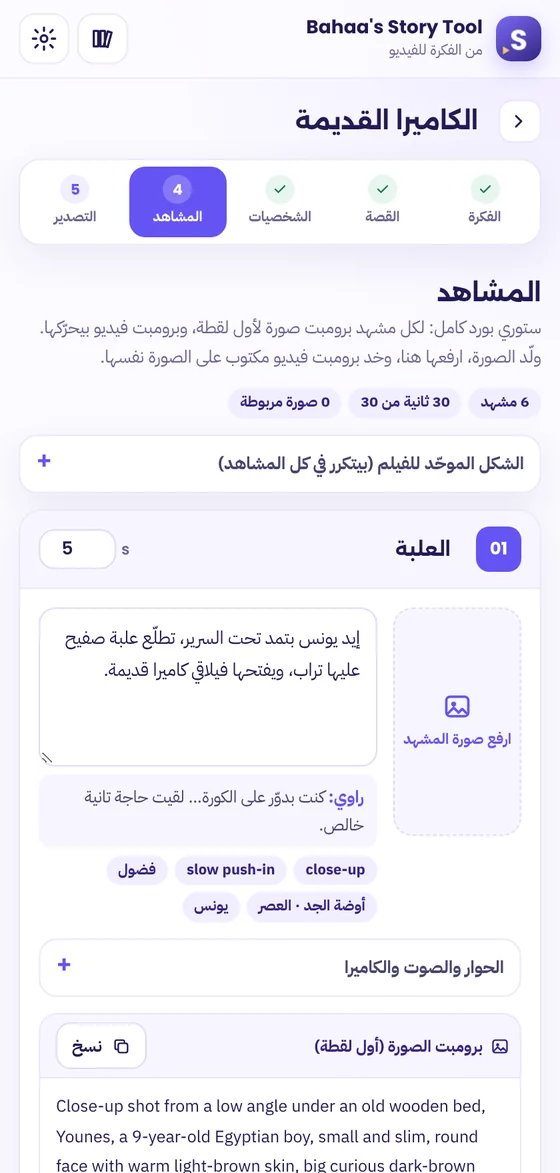
5 steps from idea to video.
Each step builds on the one before, and you can go back and edit any step at any time.
- 01Idea
Set the format, length, size and style, then write your idea or get 3 different ones.
- 02Story
A story that fits your runtime, split into key beats you can edit freely.
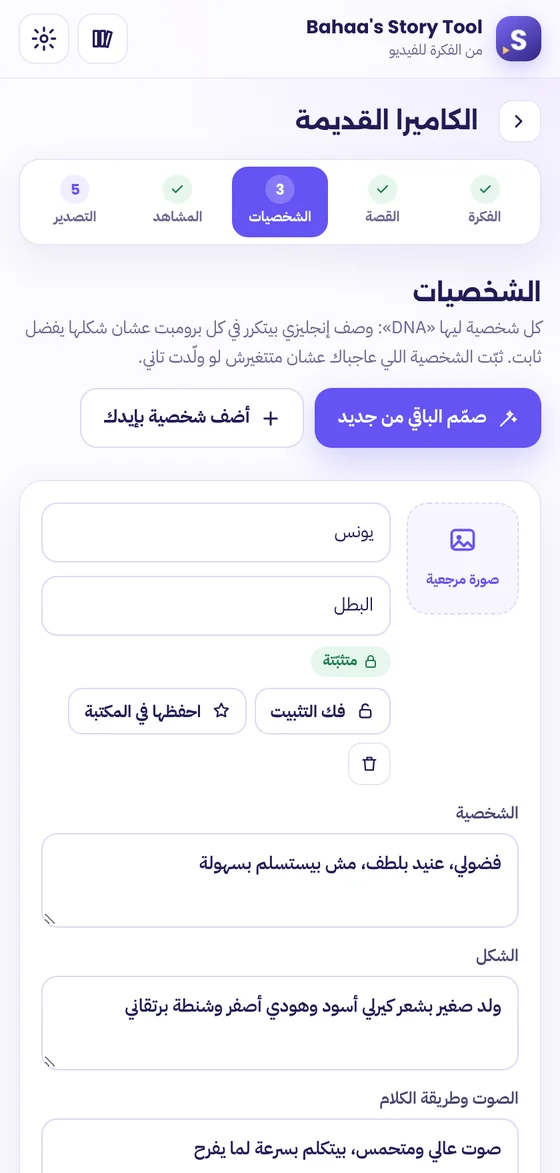
- 03Characters
Every character gets a fixed DNA, a reference image, and a spot in your library.
- 04Scenes
A storyboard with an image prompt and a video prompt for every scene.
- 05Export
A storyboard PDF, all the prompts, and the voice-over script.
A video prompt written from your image.
The biggest problem with AI video is that the video prompt describes one thing while the image shows another. Here, the tool looks at the image you generated and writes the motion based on exactly what's in it.
- Generate the scene image with the image prompt, in any tool.
- Upload it to the scene: click, drag, paste, or right-click the image on any website.
- Click “Write the video prompt from the image” and get a prompt that animates that exact image, with notes if anything in the image differs from the scene.
 Scene image0:05
- ✓ All five characters visible
- ✓ Same colors as the scene
Characters that stay the same.
Every character has a “DNA”: a precise English description added to every image prompt, so your hero stays the same from the first scene to the last.
- Upload a reference image, and the tool writes the description from it.
- Lock the character you like so it won't change when you regenerate.
- Save it to the “character library” and reuse it in other projects.
A storyboard ready for your team.
Print it, save it as a PDF, or grab all the prompts at once.
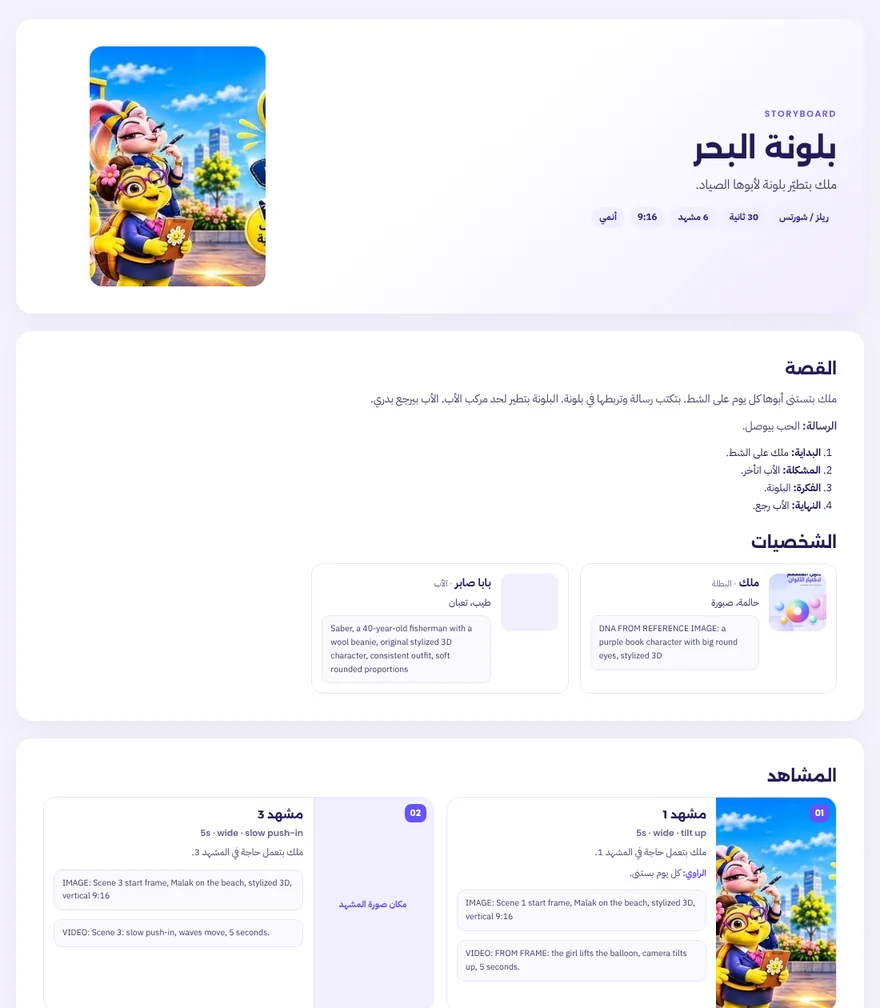
- Printable storyboard & PDF
- All image and video prompts
- Voice-over script for recording
- The full script and a backup file
It writes the prompts in the style that suits your tool: Midjourney · Gemini / Imagen · ChatGPT Image · Flux for images, andVeo · Kling · Runway · Sora · Hailuo for video.
How to install in two minutes.
The extension isn't on the Chrome Web Store yet, so you'll install it manually. You only do this once.
- Download and unzip the fileYou'll get a folder called
BAHAAS_STORY_TOOL_V1.0.0. Keep it somewhere permanent. - Open the extensions pageType
chrome://extensionsin the address bar. - Turn on Developer modeusing the toggle at the top of the page.
- Click Load unpackedand choose the folder. The purple S icon will appear next to the address bar.
- Add your Gemini keyfrom Google AI Studio. Or open the “sample project” first and see the result without a key.
Frequently asked.
Does it generate the images and videos itself?
No. It writes the story, the storyboard and the prompts, and you generate the images and videos in the tool you like. Then you bring the image back so it writes the video prompt for it.
Can I write in Egyptian Arabic?
Yes. Egyptian Arabic is the default for the story, dialogue and narration, and you can choose Modern Standard Arabic or English. The prompts themselves are always in English, because generation tools understand them best.
Is it really free?
Yes, with no limits or subscription from my side. The writing runs on Gemini with your own key, so usage counts against your Google account under their terms.
Where are my projects saved?
On your device only, inside the browser. Take a backup from the “Export” step (a JSON file) and you can open it again anytime. Details in the Privacy policy.
Can I use the same characters in several films?
Yes. Save the character to the “character library”, and you'll find it in any new project in one click, with the same description and the same reference image.
Every big film started with a small idea.
Try it, and send me the first storyboard you make with it.