
BAHAA AGENCY ADS
An AI creative ad studio, inside your browser.
Saw an image you like on a website? Click the “BAHAA ADS” button that appears on it, choose your goal, and get ready-to-use ad prompts for social media, campaigns, identity, carousels and invitation cards.
- Free for everyone, no subscription
- Arabic & English
- Your data stays on your device
From image to prompt in 3 steps.
The extension opens as a side panel next to the site you're on, so you never leave the page.
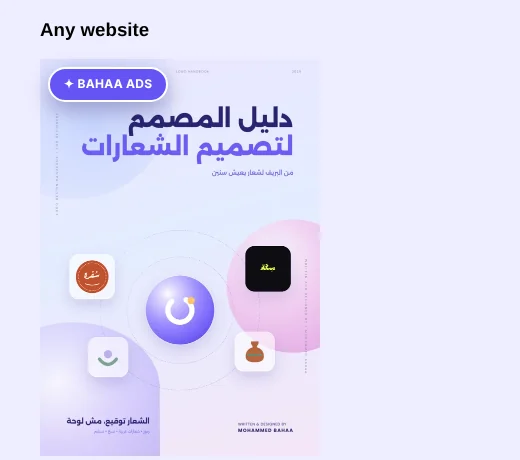
 ✦ BAHAA ADS
Hover any image → click BAHAA ADS → choose your goal → get the prompts
- 01Pick an image
Hover any image and click “BAHAA ADS”, or right-click it, or upload an image from your device.
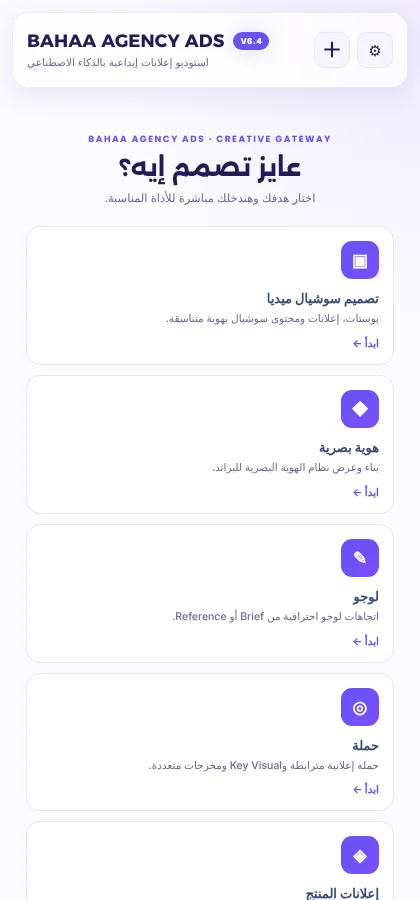
- 02Choose your goal
The gateway asks “What do you want to design?” and takes you to the right tool, where you set the size, market and language.
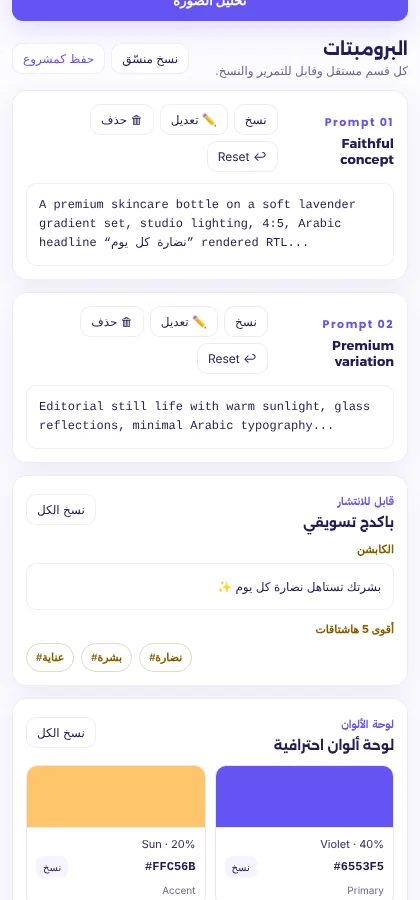
- 03Get the prompts
Ready-made prompts to paste into your image generator, plus a caption, hashtags and a color palette. You can edit any prompt before you copy it.
10 goals in one place.
Every goal has its own instructions, plus rules for Arabic text: right-to-left, connected letters, and no translation.
- Social media designPosts and ads with a consistent identity.
- Visual identityA complete identity system and its presentation.
- LogoLogo directions from a brief or a reference.
- CampaignA key visual and connected deliverables.
- Product adsOne product image, 5 ad directions.
- Ad rebuilderAnalyze an ad and rebuild its idea around your product.
- CarouselSlides that tell one story, plus a story sheet.
- TypographyDesigns where Arabic text is the hero.
- Invitation CardsWeddings, engagements and special occasions.
- Creative conceptA brief turned into different directions.
How to install in two minutes.
The extension isn't on the Chrome Web Store yet, so you'll install it manually. You only do this once.
- Download and unzip the fileYou'll get a folder called
BAHAA_AGENCY_ADS_V6.4.0. Keep it somewhere permanent and don't delete it. - Open the extensions pageType
chrome://extensionsin the address bar. - Turn on Developer modeusing the toggle at the top of the same page.
- Click Load unpackedand choose the folder you unzipped. The purple B icon will appear next to the address bar.
- Add your Gemini keyIt asks for the key the first time you open it. You can create one at Google AI Studio, and it's stored on your device only.
Frequently asked.
Is it really free?
Yes. Every section is open to everyone, with no subscription and no daily limit from my side. Requests go to Gemini with your own key, so usage counts against your Google account under their terms and limits.
Does it make the images itself?
No. The extension analyzes the image and writes professional prompts for you, and you paste them into the tool you use to generate images. It's the creative director, not the illustrator.
Where do my images and data go?
The image or text you choose is sent directly to Google Gemini with your key. There's no server of mine in between, and your key, history and projects are stored on your device only. Full details in the Privacy policy.
Why does the button appear over images on every website?
So you can pick any image from anywhere in one click. The extension doesn't read or send the image unless you click the button.
What if a new version comes out?
Download the new version, replace the files in your old folder, and click Reload on the extension in chrome://extensions. Your key and saved projects stay as they are.
Made by a designer, for designers.
Have an idea for a new goal, or found a bug? Write to me.